
Export WhatsApp Chat: The Ultimate Guide

Step-by-step instructions for exporting a WhatsApp chat on iPhone, Android and PC โ€” single chats and groups.

iOS (Apple) โ€” 1
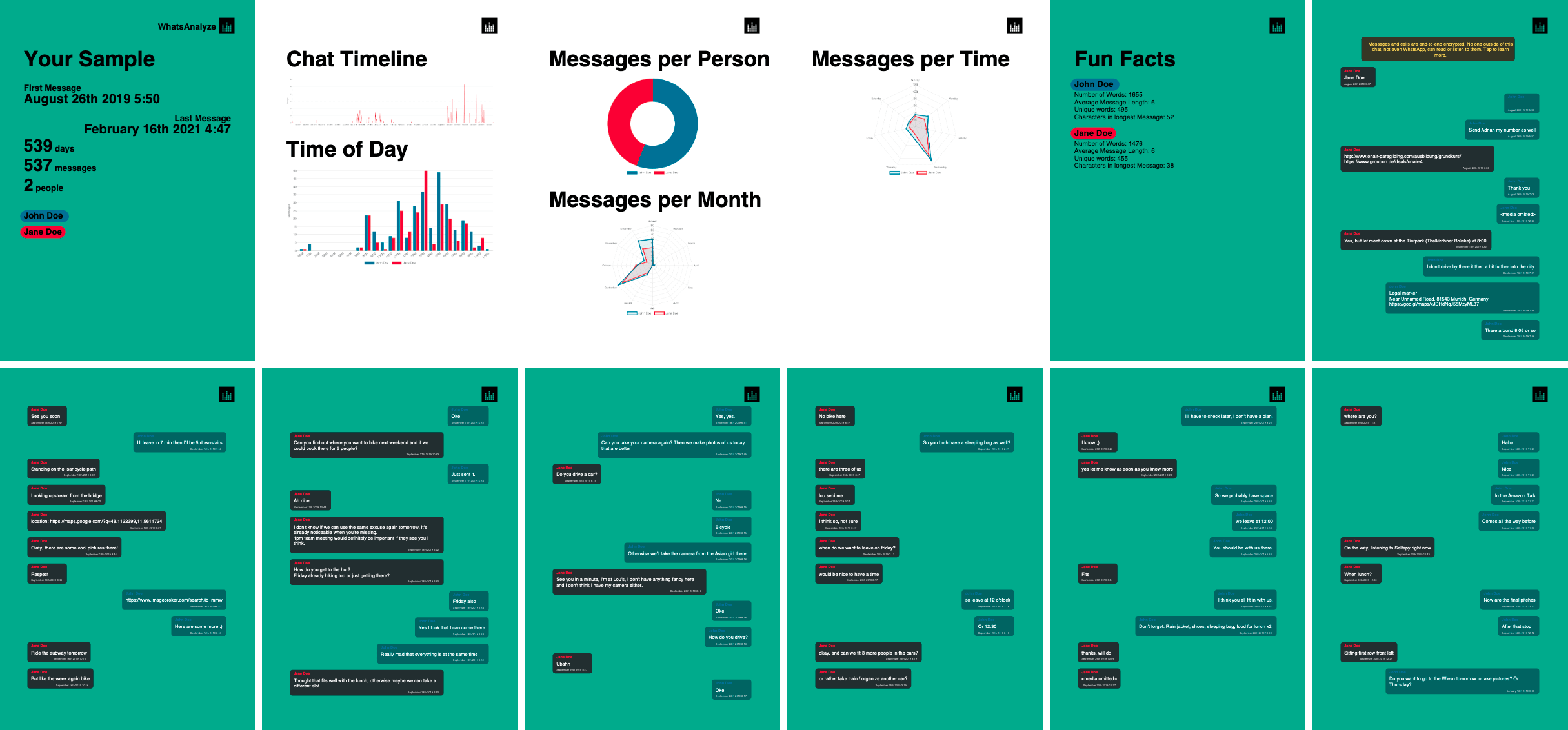
Esempio di PDF da un'esportazione chat:


WhatsApp, a widely-used messaging platform, often necessitates the need to export chats for various reasons like backup, archiving, or transferring data. This guide offers step-by-step instructions tailored for different devices and provides insights into each method.

Learn how to export your WhatsApp chat for various purposes such as backup, analysis, or archiving. This guide covers iOS, Android, and PC platforms, catering to both individual and group chats. Furthermore it gives you hands-on tips on how you can create a PDF from your WhatsApp chat.

Option 1: iPhone (iOS) - Export as a .txt File

Steps:

  1. Open WhatsApp and select the desired chat.
  2. Tap on the chat name for more options.
  3. Choose 'export chat' and select:
    • Attach Media: Includes media, generating a .zip file.
    • Without Media: Exports only the chat text as a .txt file.
  4. Save or share the exported file.

Option 2: Android - Export as a .txt File

Steps:

  1. Open WhatsApp and choose your chat.
  2. Access chat settings and select 'Email chat'.
  3. Choose your export option:
    • Attach Media: Exports chat with photos and videos.
    • Without Media: Only text of the chat is exported.

Option 3: PC - WhatsApp Web Limitations

Exporting via WhatsApp Web is currently not supported. Use your connected phone for export.

Converting Chats to PDF

Steps:

  1. Transfer your exported chat data (.txt or .zip) to your PC.
  2. Go to https://whatsanalyze.com/

Additional Resources

  • YouTube tutorials for export

Comparison of different tools available

Comparison of different tools available for exporting a WhatsApp chat and creating a PDF

Features & Solutions of PDF export tools
Zapptales
Dr. Fon
Longshot app
Export to txt and then to PDF
WhatsAnalyze
Privacy ๐Ÿ›ก๏ธ๐Ÿ”ด Limited user control๐Ÿ”ด Limited user control๐ŸŸก Basic privacy๐ŸŸก Basic privacy๐ŸŸข Superior: Complete privacy with on-device processing
Security ๐Ÿ”’๐Ÿ”ด Potential server storage risks๐Ÿ”ด Potential server storage risks๐Ÿ”ด Not open source, security unclear๐ŸŸก Generally secure๐ŸŸข Top-notch: All operations are local and secure
Effort ๐Ÿ› ๏ธ๐Ÿ”ด High: Requires desktop app and multiple steps๐Ÿ”ด High: Requires desktop app๐ŸŸก Medium: On phone but requires external app๐Ÿ”ด High effort required๐ŸŸข Minimal: Quick and straightforward on your phone
User can Print ๐Ÿ–จ๏ธ๐ŸŸก Printable๐ŸŸก Printable๐Ÿ”ด Not printable๐ŸŸก Printable๐ŸŸข Optimized for Printing: Perfect for books or booklets
Analytics ๐Ÿ“Š๐Ÿ”ด No additional features๐Ÿ”ด No additional features๐Ÿ”ด No additional features๐Ÿ”ด No additional features๐ŸŸข Comprehensive: Includes fun facts and detailed analysis
iOS Compatibility ๐Ÿ“ฑ๐ŸŸก Compatible with iPhone๐ŸŸก Compatible with iPhone๐Ÿ”ด Android only๐Ÿ”ด Complicated, requires external app๐ŸŸข Fully optimized for iPhone
Android Compatibility ๐Ÿ“ฑ๐ŸŸก Works with complications๐ŸŸก Works with complications๐ŸŸข Fully compatible๐Ÿ”ด Requires external app๐ŸŸข Seamless experience on Android devices
Free Preview ๐Ÿ”๐Ÿ”ด No preview available๐Ÿ”ด No preview, subscription trial๐Ÿ”ด No trial available๐Ÿ”ด Long and complicated process๐ŸŸข Exclusive: Free preview with complete statistics
Price ๐Ÿ’ฒ๐Ÿ”ด Expensive๐Ÿ”ด Expensive๐ŸŸก In-app purchases๐ŸŸก Free, but with ads๐ŸŸข Most affordable, best value
Rating โญ๐ŸŸก Good๐ŸŸก Good๐ŸŸก Average๐ŸŸก Average๐ŸŸข Excellent: Highest rating for security, affordability, and analytics
Analizza i tuoi dati WhatsApp
Interessato ai tuoi dati chat? Fai un'immersione profonda nei tuoi dati!