
Analyze your WhatsApp Chat in Seconds
Drop your chat export below and see who talks most, when you write and what you write about. Everything is read in your browser — nothing is uploaded.
LOCAL CLIENT ENGINE•100% PRIVATE
Charts That Tell the Story of Your Chat
Messages per hour, share of speech, word clouds and fun facts. This is a real chat, analyzed exactly the way yours will be.
John and Jane probably write the most in the afternoon...
...and John writes a little more overall than Jane.
PDF Export
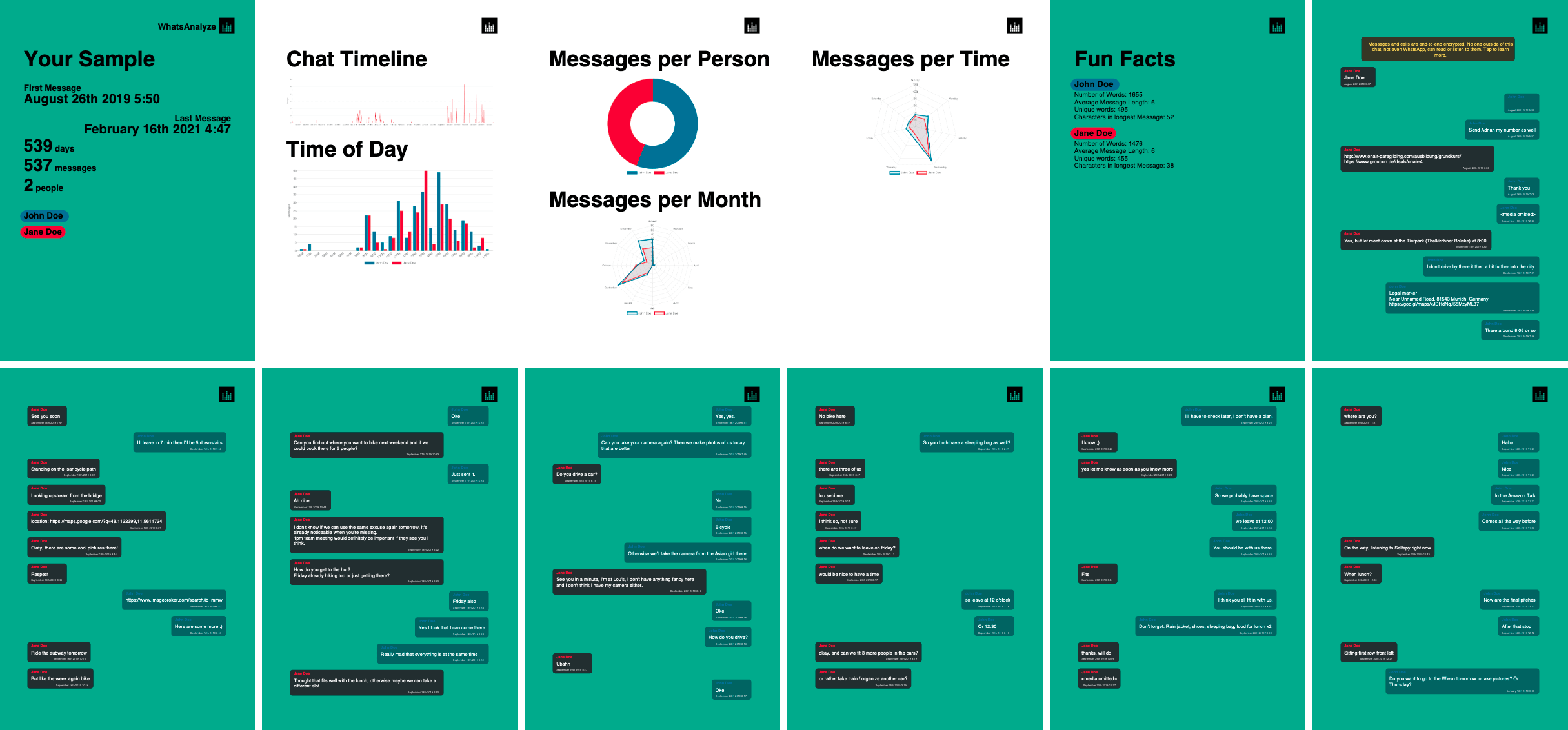
Example PDF from a chat export:
Turn the whole conversation into a clean, printable document — the statistics up front and every message behind them.

Known from


“Fun facts and exciting visualizations”
“The analysis happens only in your browser”
“Find out what time you text the most”
Good to Know
FAQs about WhatsApp chats
Is My Chat Data Really Private?
Yes. The statistics are worked out in your browser, and your chat is saved on this device only, so you can come back to it. It is never stored on our servers. Only two things ever leave your device, and only when you choose them: the cloud AI receives an anonymized excerpt (names replaced, phone numbers, emails and links removed), and a share link stores an encrypted copy of the results, never the chat itself. You can forget saved chats at any time, and inspect the open-source code on GitHub.
How to export your WhatsApp chat
Everyone can easily export his WhatsApp chat or group chat. Open WhatsApp on the device you are currently logged in with > Tap on the chat > Go to the chats settings > Scroll down and tap on Export chat > Choose to export with or without media.
How to export your WhatsApp group chat
Exporting your WhatsApp group chat works like a normal chat. Open up WhatsApp with the device that you are logged in with. Go to the chat and tap on "More" and then Export chat. You can now choose to export the chat with or without Media.
How to Archive all WhatsApp chats on iOS
On iOS you can Archive your WhatsApp chats by opening WhatsApp then tap on "Settings" in the Navigation bar. Tap on chats and then Archive All Chats.
How to Archive all WhatsApp chats on Android
On Android open WhatsApp then tap on the three-dot icon at the top right corner. Tap on "Settings" and then "Chats". On the new View tap "Chat history" and "Archive all chats".
How to Backup WhatsApp chat on iOS including iOS 14
By backing up your WhatsApp chat on your iPhone you can load your account to a new device easily. Open WhatsApp, tap on "Settings" at the bottom-right corner. Then tap on "Chats" and "Chat Backup" next press "Back Up Now"
How to Backup WhatsApp chat on Android
To Backup WhatsApp chat on your Android device, tap on the three-dots at the top-right of your screen. Tap on "Settings and then on "Chats". Next press on "Chat backup" and on the next screen "Back Up" Button
About us
As Computer Science students we are paranoid and think we can do everything better, so we naturally wanted to build a solution ourselves, where no personal data is shared or made public.






Ready to See Your Own Chat?
WhatsAnalyze is an independent open-source project and is not affiliated with, endorsed by, or sponsored by WhatsApp or Meta.